Showing posts with label tips. Show all posts

Thursday, September 10, 2015

How to : Hack Facebook Account - Steal Password - The Ultimate Guide

Welcome to the ultimate guide on how a Facebook account is hacked. Today, we learn what are the best ways to steal a Facebook password (or passwords of other services as well), hack into an account and of course how can you protect yourself from anyone trying to hack your account.
hack unlock steal facebook password

***Keep in mind that this post is educational. You should use the knowledge you acquire from this guide to protect yourself online. Any illegal activity from your part, does not reflect the purposes of this post and its author.***

So, let's dive into the guide.

Saturday, November 23, 2013

Tip #31 - How to : Make your profile picture non-clickable

profile picture non clickable pic
You should have noticed by now that in BestFacebookTips blog we are really serious about facebook privacy settings. Today, we present you the way to make your profile image non-clickable, so strangers won't be able to click on your photo. Here is how to do it.

Sunday, November 17, 2013

Best Facebook Tips and Tricks 2013 (Updated)

best facebook tips tricks hacks pic
You may have already read a previous post on best facebook tips and tricks for 2013. As four months have passed since that post, we have decided to create a new list with updated and even more awesome facebook tips, tricks and hacks. Are you ready to discover the deepest facebook secrets and enhance your social networking experience? If so, find our tips below.

Thursday, November 7, 2013

Tip #30 - How to : Unblock a user on Facebook.

handshake pic
Last month we showed you how to block users on Facebook. Today, we teach you how to unblock someone who is previously blocked. Follow our guide below.

Saturday, November 2, 2013

Tip #29 - How to : Remove Facebook ads

stop remove facebook ads pic
We all miss the good old times, when Facebook didn't have these annoying ads popping up everywhere. So, if you want to enhance your experience and remove facebook advertisements read our awesome tips below.

Saturday, October 26, 2013

Tip #28 - How to : Create a secret Facebook group

secret facebook group pic
I suppose most of you have already created a Facebook group or belong in one. But, did you know that you could have a secret group that only you and some people you choose could view, making it secret? Let's see how to do this below.

Tuesday, October 22, 2013

Tip #27 - How to : Hide Facebook Likes

like thumbs up pic
It comes a time when we all like a facebook page of an artist, a group etc. and we don't want our friends or the public to find out. Well, of course there is a solution to hide those embarrasing likes from your profile. I found this trick over at lifehacker's(if you don't know this site, I seriously suggest you to visit it; it has all these killer life hacks; it's really cool) website and is really handy. Read the tip below.

Monday, October 21, 2013

Tip #26 - How to : Block People on Facebook

block facebook friend pic

I guess we all have these annoying friends on Facebook that always want to chat, send notifications and generally bother you with any way imaginable. So, the best tip we have for this problem is simply to block these people. Don't worry. Facebook doesn't inform them that you have blocked them. Let's see how.

Wednesday, October 16, 2013

5 Facebook Addons, Extensions and Apps for Mozilla Firefox and Google Chrome

mozilla firefox google chrome logo pic
I don't know about you, but i use Chrome and Firefox for internet browsing...(who uses Internet Explorer anyway?) I prefer Chrome because it's lighter, but I use Firefox as well because it has a huge variety of addons and it's a more powerful tool for web developing, programming and stuff. Today, we discuss about some Firefox addons and Chrome extensions and apps that will certainly enhance your Facebook experience and make your life on the social networks easier.

Friday, October 4, 2013

5 Facebook Secrets you must know

facebook secrets pic
You browse Facebook all the time doing things most people do on this social networking giant. But, what if i told you there are facebook secrets and hidden actions you can perform? Read the secrets below.

Wednesday, October 2, 2013

Tip #25 - How to : Use Facebook on Mobile Phones and Tablets

road pic
I understand you use Facebook to update your status and chat with your friends from home. But, today we'll discuss how you can keep up to date with the Facebook world from your mobile devices. What are the most popular facebook mobile applications?

Sunday, September 29, 2013

Tip #24 : How to : Add location to Facebook Post

location post facebook pic
Since you read this post i guess you use Facebook a lot to make status updates and inform your friends regularly. But, did you know you could add your location to your Facebook post? Well, let's see how can you do this and more below.

Thursday, September 26, 2013

Tip #23 - How to : Turn Off Notifications on Facebook

turn off facebook notifications
Admit it! You are tired of the notifications you constantly get on Facebook. These annoying notifications may come from groups, events, apps and games. Many facebook users tend to send messages from games and apps all the time. If you want to stop receiving these notifications here is how.

Tuesday, September 24, 2013

Tip #22 - How to : Download Facebook Images, Albums and Videos on your Computer

camera photo video pic
People use Facebook everyday. One of the most common things they do is to upload and share photos and videos with their friends. Today, we show you some ways to download Facebook images, albums and videos on your hard disk. Read the tips below.

Friday, September 20, 2013

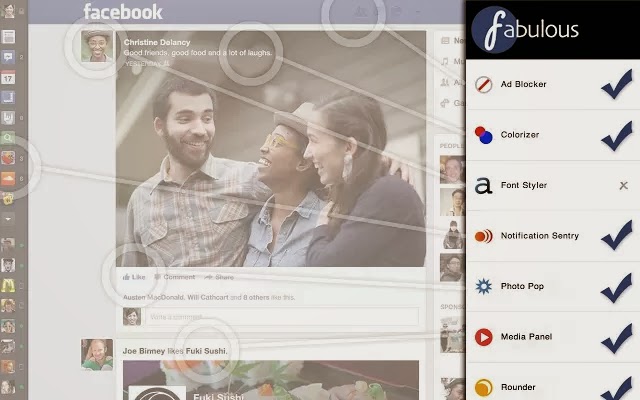
Tip #21 - How to : Customize Facebook

facebook fabulous chrome extension pic
Ever feel the need to customize Facebook to your needs? Now, you can. (You need to use Chrome for this tip).

Saturday, August 10, 2013

Tip #19 - How to : Clear your Facebook Search History

clear facebook search history
If you find yourself forgetting to log out of Facebook on public computers and you don't use a utility to log out of Facebook automatically, then you might consider clearing your Facebook search history. Read the tip below.

Saturday, August 3, 2013

Tip #18 - Tip of the day - How to : Find Hidden Facebook Messages

facebook hidden secret message pic
Today, we share with you a really important Facebook tip. We all get dozens of messages on Facebook everyday. We read them and respond to them. These messages come from people we know from our friends list or from groups we belong. But, did you know that we can get messages from people not in our friends list as well? And these messages are often very important. Luckily, they go to a hidden folder called Other.

Wednesday, July 24, 2013

Tip #17 How to : Modify Anchor Text of Page's or Profile's url on Facebook

modify anchor text at symbol pic
If you use Facebook regularly you might know that using the "@" symbol in your status updates allows you to tag profiles and pages. In this trick, however, you can modify the anchor text of a target page's or profile's url. Read the tip below.

Tuesday, July 23, 2013

Tip #16 How to : Use Profile Picture as Emoticon in Facebook Chat

smile emoticon facebook chat pic
This is a really useful tip that will surely impress your friends on Facebook. If you want to use your profile picture as emoticon in Facebook chat, you should use the profile's Username or Numeric Id in double brackets. For example [[Username]] or [[Numeric Id]]. We also share some rage faces codes.

Saturday, July 20, 2013

5 Tips for staying safe on Facebook

privacy facebook pic
You spend a lot of your time on social networking websites and of course Facebook. So, it's critical to follow some rules to stay safe from threats on the web. After all, privacy is really important for everyone. Below, we share with you 5 good tips to be as safe as possible.